Create a NuGet package
If you want to share your module with others, you need to create a NuGet package.
Open the .csproj file and add the following properties to the <PropertyGroup> section:
You can change these values according to your needs; this configuration is provided only as an example. For more information about NuGet packages, see the official documentation here.
Next, run the following command in the terminal:
This command creates a NuGet package in the bin/Release folder. You can customize the output directory by adding the -o parameter.
Now you need to create a local NuGet feed for your package. You can also publish the package to NuGet.org, but this is outside the scope of this tutorial.
Run the following command in the terminal:
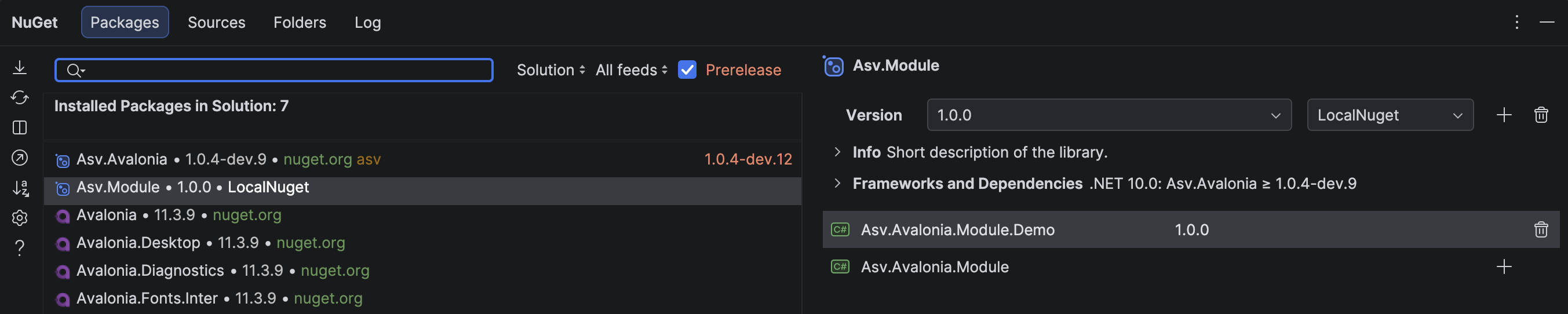
After that, you can install your module from the local feed. Open your NuGet package manager and install the package from the newly added source. In any compatible Asv.Avalonia application, call RegisterModuleModule() during application setup after installing the package. The demo application used in this guide is only one possible host for the module.
Summary
In this tutorial, we created a simple module with two pages and packaged it as a NuGet package. The module uses a hierarchical registration builder so applications can register all default features or select individual pages.
You can find the complete source code for the module here