What is Asv.Avalonia?
Asv.Avalonia is a framework built on Avalonia UI designed to provide a robust foundation for quickly creating complex desktop applications.
Rather than just a collection of components, it offers a structured environment and a set of architectural rules. It handles the "heavy lifting" of application infrastructure—navigation, dependency injection, and modularity—so you can focus on building business logic immediately.
Core Concepts
To use Asv.Avalonia effectively, it is helpful to understand its fundamental architecture:
Hierarchical Tree of ViewModels: This is the backbone of the framework. Application ViewModels form a unified tree, ensuring a clear parent-child relationship across the entire application.
Routed Events & Extensions: ViewModels communicate through asynchronous events routed along the tree, while
IExtensionFor<T>components add menus, actions, and other features to existing hosts without subclassing them.App Builder & Configuration: The framework integrates Avalonia startup with .NET Generic Host through
IHostApplicationBuilder. Registrations useIServiceCollection, allowing fine-grained configuration at startup—for example, you can disable standard pages or replace core services.Module System: You can extend the framework functionality by using modules. You can create your own module or use an existing one.
Key Features
Asv.Avalonia provides essential features out of the box:
Advanced Shell: A ready-to-use window structure with support for layout persistence (saving/restoring panel sizes and positions).
Navigation: Path-based navigation through the hierarchical ViewModel tree, with history and focus tracking.
Actions, Hotkeys and Undo/Redo: Standard UI commands, context-aware hotkey actions, and a separate undo/redo history for each page.
File Dialogs: Cross-platform dialogs for opening and saving files and selecting folders.
Built-in Pages: Home, extensible Settings with Appearance and Units, and Log Viewer.
Quick Tour
Below is a deeper look at the main components included in the library.
Shell & Layout
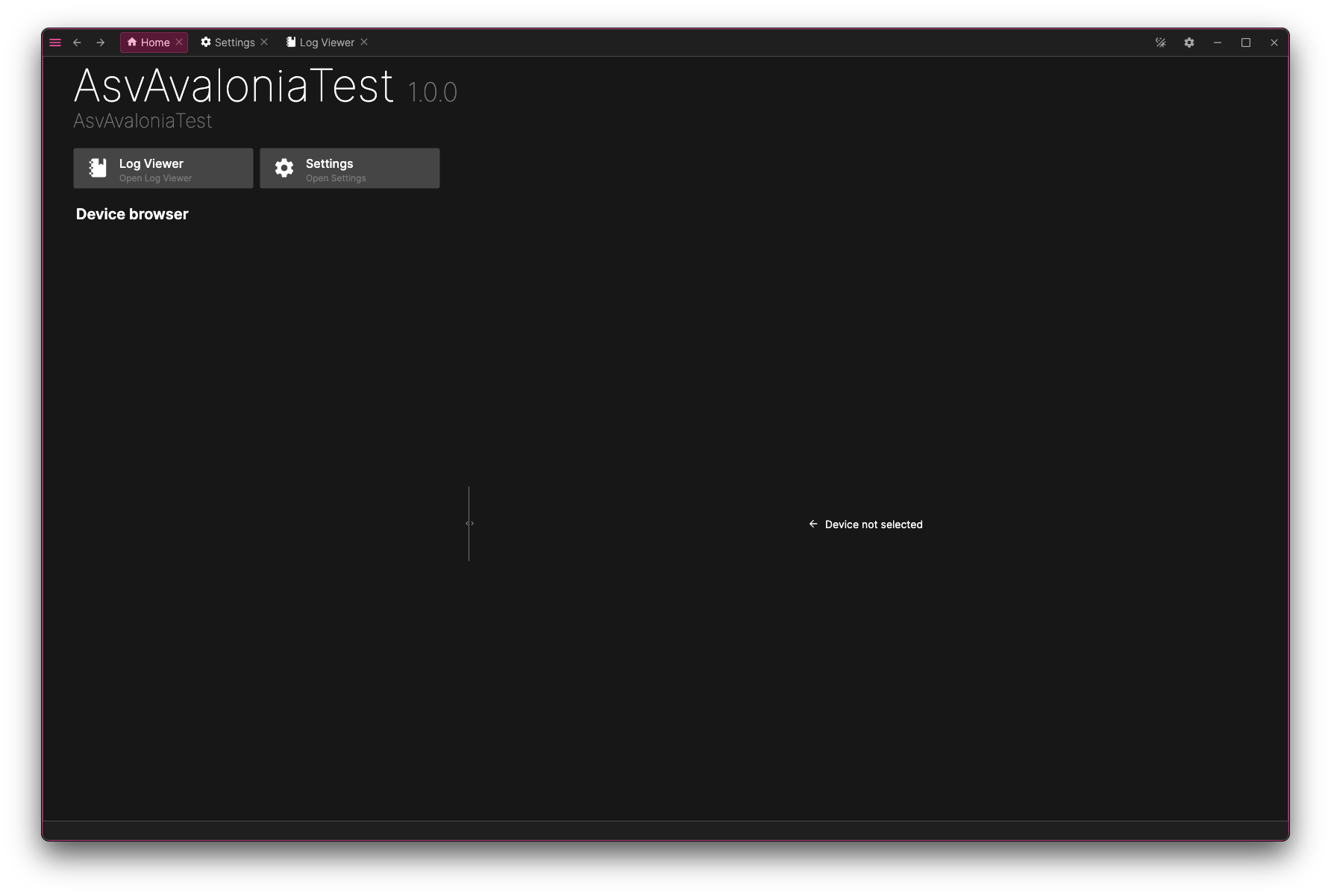
The shell is the central host for the application UI. It provides a standard visual hierarchy (toolbar, side panels, main content area) and integrates with layout controllers and per-shell/per-page layout managers. Registered state is restored between sessions—for example, window and panel layouts, opened and selected pages, filters, and selections.
Navigation
Navigation in Asv.Avalonia follows the hierarchical ViewModel tree:
Every ViewModel has a
NavId, and aNavPathdescribes how to reach a target through its parents.Pages are registered by ID and created on demand when the shell resolves a path.
The shell maintains a persistent back / forward history and tracks the currently focused ViewModel.
Actions, Hotkeys & Undo/Redo
Asv.Avalonia uses standard commands for UI actions and provides a separate service for application-wide hotkeys:
Action and menu view models expose
ICommand; many framework actions useReactiveCommand.Hotkey actions have metadata and a configurable key gesture. They are resolved against the current ViewModel context, so actions such as Save, Search, or Close are available only where they can be handled.
Undoable changes are registered through ViewModel undo controllers, while the standard Undo and Redo actions target the active page's history.
Modules & Plugins
The framework is designed to scale:
Modules: The framework’s functionality can be extended through modules. You can either develop your own module or use existing ready-made modules.
Plugins: The Plugins module allows you to dynamically load plugins (external assemblies). This allows you to ship optional features or maintain a modular codebase where features register their own pages, menus, and actions at startup.
Built-in Pages
Out of the box, the framework provides standard pages:
Home: The application landing page, which modules can extend with their own tools.
Settings: Centralized app settings UI that can be extended with additional subpages.
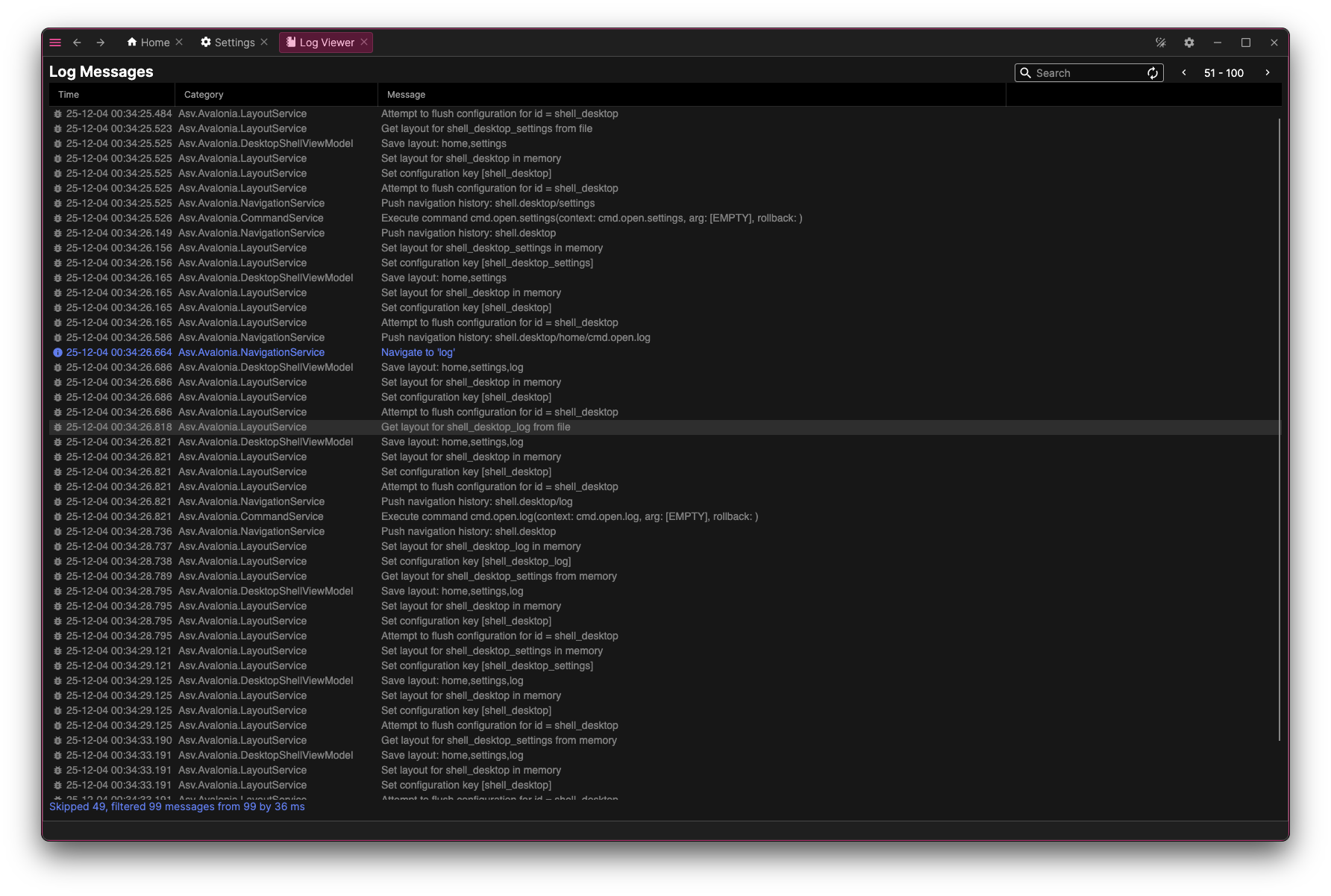
Log Viewer: A viewer for application logs with filtering, pagination, and search functionality.
Controls & Tools
Asv.Avalonia ships with specialized controls and helpers:
Unit service: A service for working with different units of measurement. It lets you operate with values like temperature regardless of which unit the user chooses, automatically converts values to the SI system when needed, and allows you to define unit names, descriptions, etc.
Useful Controls: Dock, dialogs, info bars, indicators, etc.
And more!
Ready to dive in?
Get your application running in minutes.
Quick Start: follow our step-by-step tutorial to build your first shell.
Explore the Code: check out the Asv.Avalonia.Example to see a fully functional app.